Forgot Password / OTP Not Received Fix – CB777 Game Login
Login issues are one of the most common problems users face while using mobile gaming apps like CB777 Game. The two most frequent issues are forgotten password and OTP not received during login or registration. This guide will help you solve both problems step-by-step so you can regain access to your account quickly. For more details, visit our official page
Why do login problems happen in the CB777 game?
Before fixing the issue, it is important to understand why it happens. Some common reasons include:
- Incorrect mobile number entered during login
- Weak or unstable internet connection
- Server delay or high traffic on the app
- Outdated version of CB777 APK
- SIM is not active or is not receiving messages properly
- Wrong password attempts multiple times
Most of these issues are temporary and can be fixed easily by following the steps below.
Forgot Password – Step-by-Step Recovery Guide
If you forgot your CB777 Game password, don’t worry. You can reset it in a few simple steps.
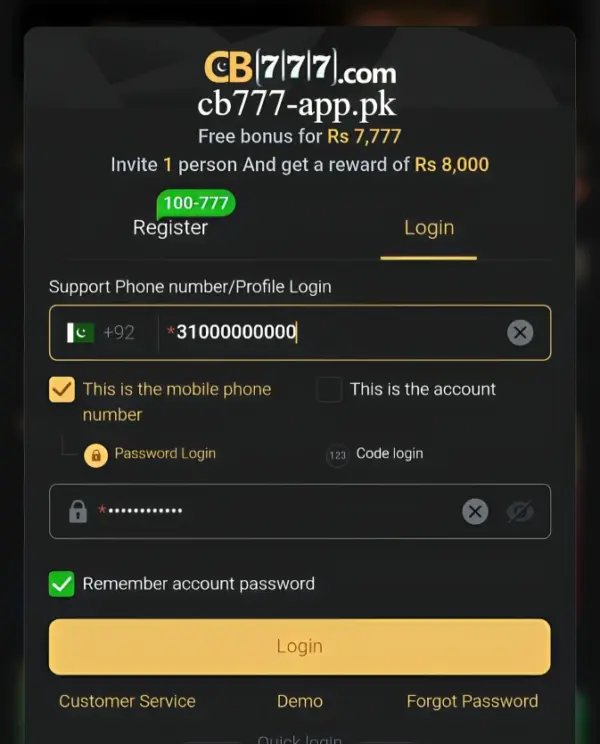
Step 1: Open the Login Page
Launch the CB777 Game app or website and go to the login screen.
Step 2: Click “Forgot Password.”
Tap on the Forgot Password option available below the login form.
Step 3: Enter Registered Number
Type the mobile number you used during registration. Make sure it is correct.
Step 4: Request Reset Code
Click on the Send OTP / Reset Code button.
Step 5: Enter OTP Code
You will receive a verification code via SMS. Enter it in the required field.
Step 6: Create New Password
Now set a strong new password that you can remember easily.
Step 7: Login Again
Go back to the login page and sign in with your new password.
OTP Not Received – Complete Fix Guide
Sometimes users do not receive an OTP while logging in or resetting their password. This can be frustrating, but it is usually easy to fix.
1. Check Mobile Network Signal
OTP requires a stable mobile network. If your signal is weak, try moving to a better coverage area.
2. Wait for a few minutes
In some cases, OTP delivery is delayed due to server load. Wait for 2–5 minutes before requesting again.
3. Check the correct mobile number
Make sure you are using the same number registered with the CB777 Game. Even a small mistake can prevent OTP delivery.
4. Check SMS Block or Spam Folder
Sometimes OTP messages may go into spam or blocked messages. Check your SMS settings carefully.
5. Restart Your Phone
A simple restart can refresh your mobile network and help you receive OTP messages.
6. Enable SMS Service Properly
If you are using a dual SIM phone, ensure the correct SIM is active for receiving SMS.
7. Update or Reinstall CB777 APK
Old versions of the app may cause login issues. Always use the latest APK version:
- Uninstall the old app
- Download the latest CB777 Game APK 2026
- Install again and try login
Still Not Receiving OTP?
If the issue continues:
- Try after 10–15 minutes
- Switch mobile network (4G/3G)
- Clear app cache from settings
- Contact in-app support (if available)
How to Avoid Login Issues in the Future
To avoid facing these problems again:
- Always keep your mobile number active
- Do not change the SIM frequently
- Use a strong and memorable password
- Keep the app updated
- Maintain a stable internet connection
Pro Tip
Most OTP issues are temporary and related to network or server delays. Waiting a few minutes and retrying usually solves the problem without any technical steps.
Final Thoughts
Forgot password and OTP issues in CB777 Game are common but easy to fix. By following the steps above, you can quickly recover your account and continue using the platform without interruption. Always ensure your app is updated and your mobile number is active for a smooth login experience. For more details. Full guide here